Screenshots
A quick tour of EasySpeak in action. Each image shows a different part of the voice-control workflow, from launching the daemon to driving the mouse and browser entirely by voice.
Starting the daemon
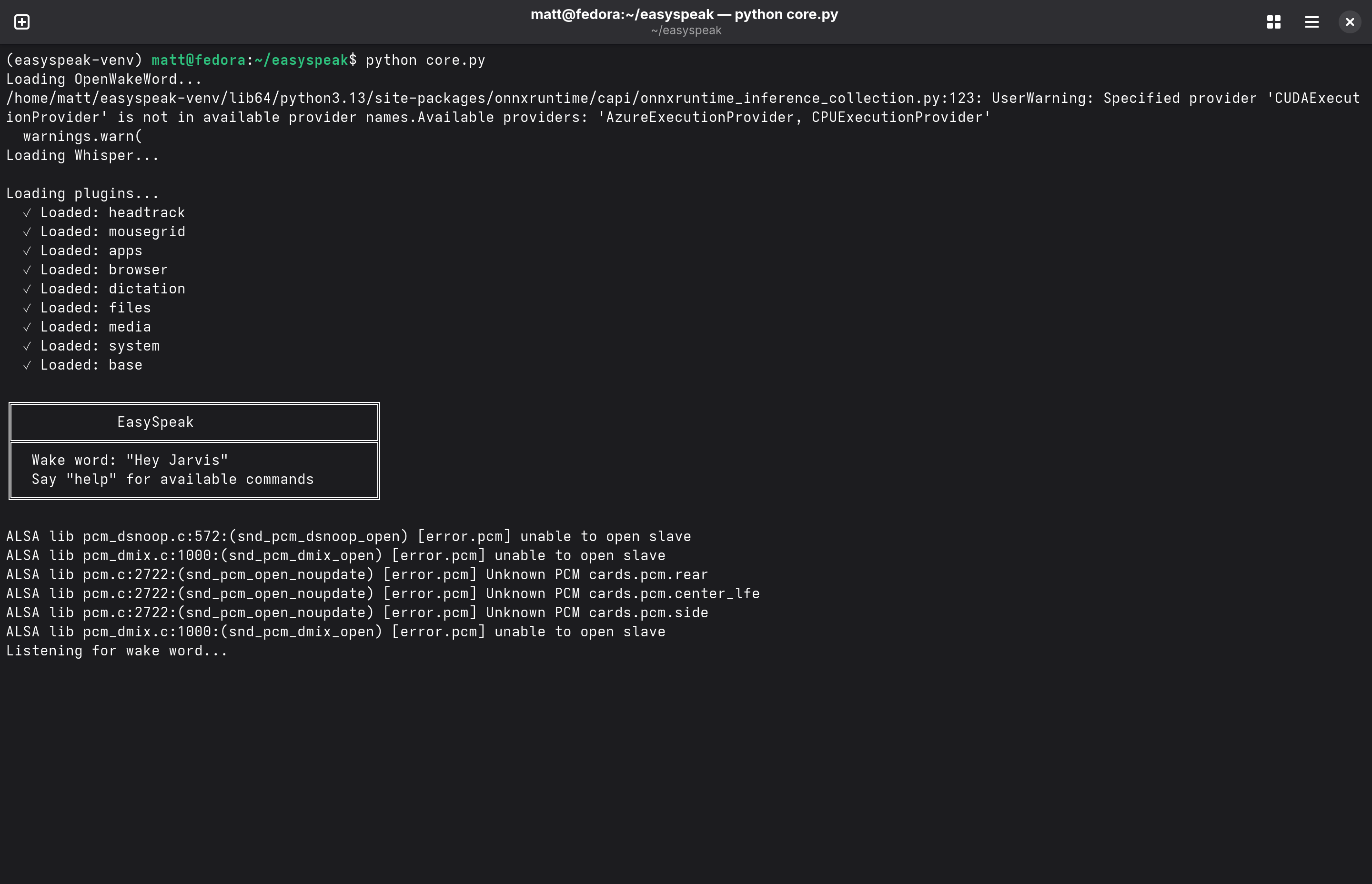
An earlier version of EasySpeak running from a terminal. On start it loads the wake-word model (OpenWakeWord) and the speech recogniser (Whisper), then brings up each plugin in turn — head tracking, mouse grid, apps, browser, dictation, files, media, and system. The banner confirms the wake word ("Hey Jarvis") and the daemon settles into Listening for wake word….
The ALSA lib … unable to open slave lines are harmless audio-device probing
noise (surpressed in newer versions).
Mouse grid
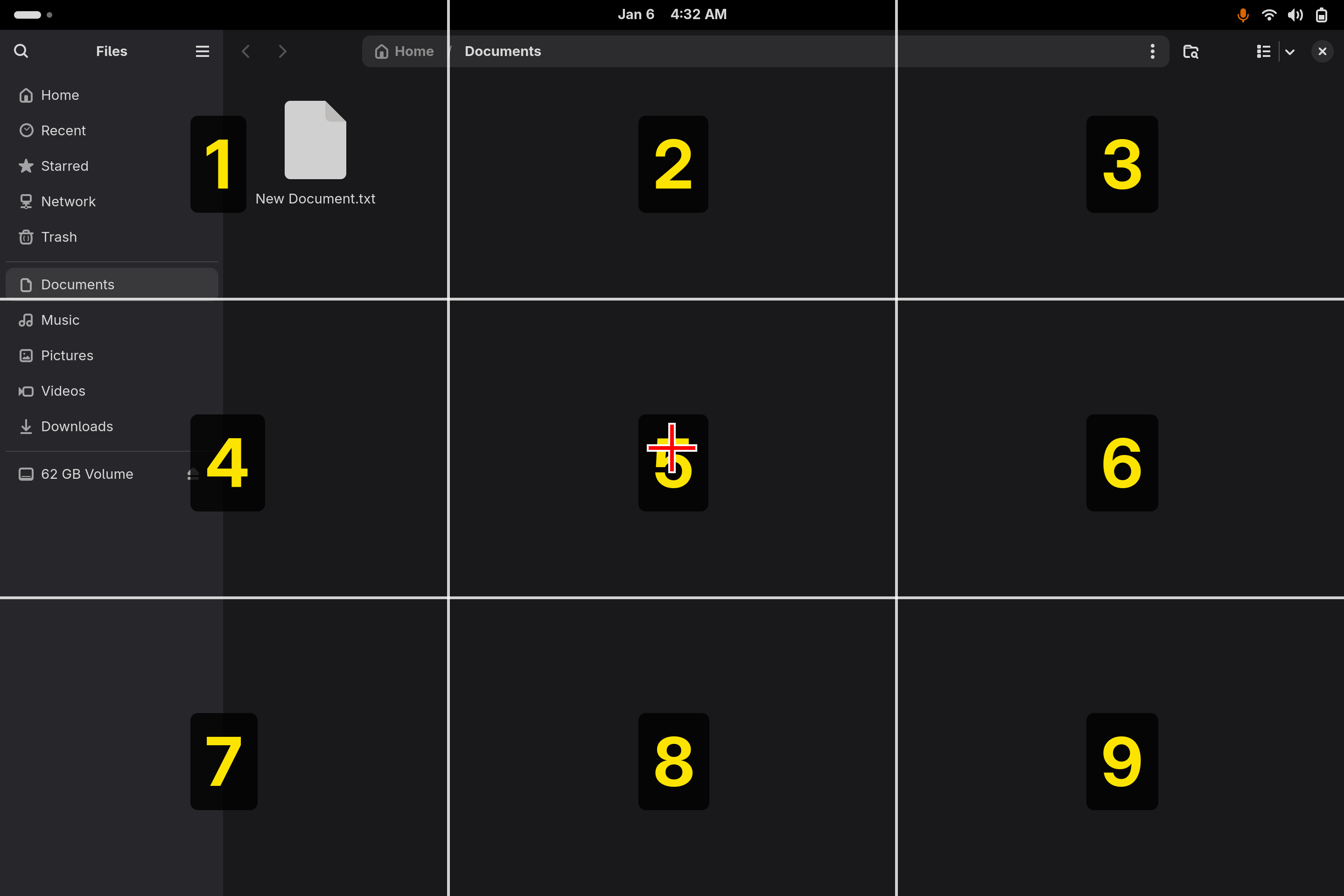
The mouse grid ("grid" command) overlays a numbered 3×3 grid on the whole screen. Saying a digit zooms the grid into that cell; repeat until the crosshair sits over your target, then say "click". Here it is layered over the GNOME Files manager — the grid works over any window.
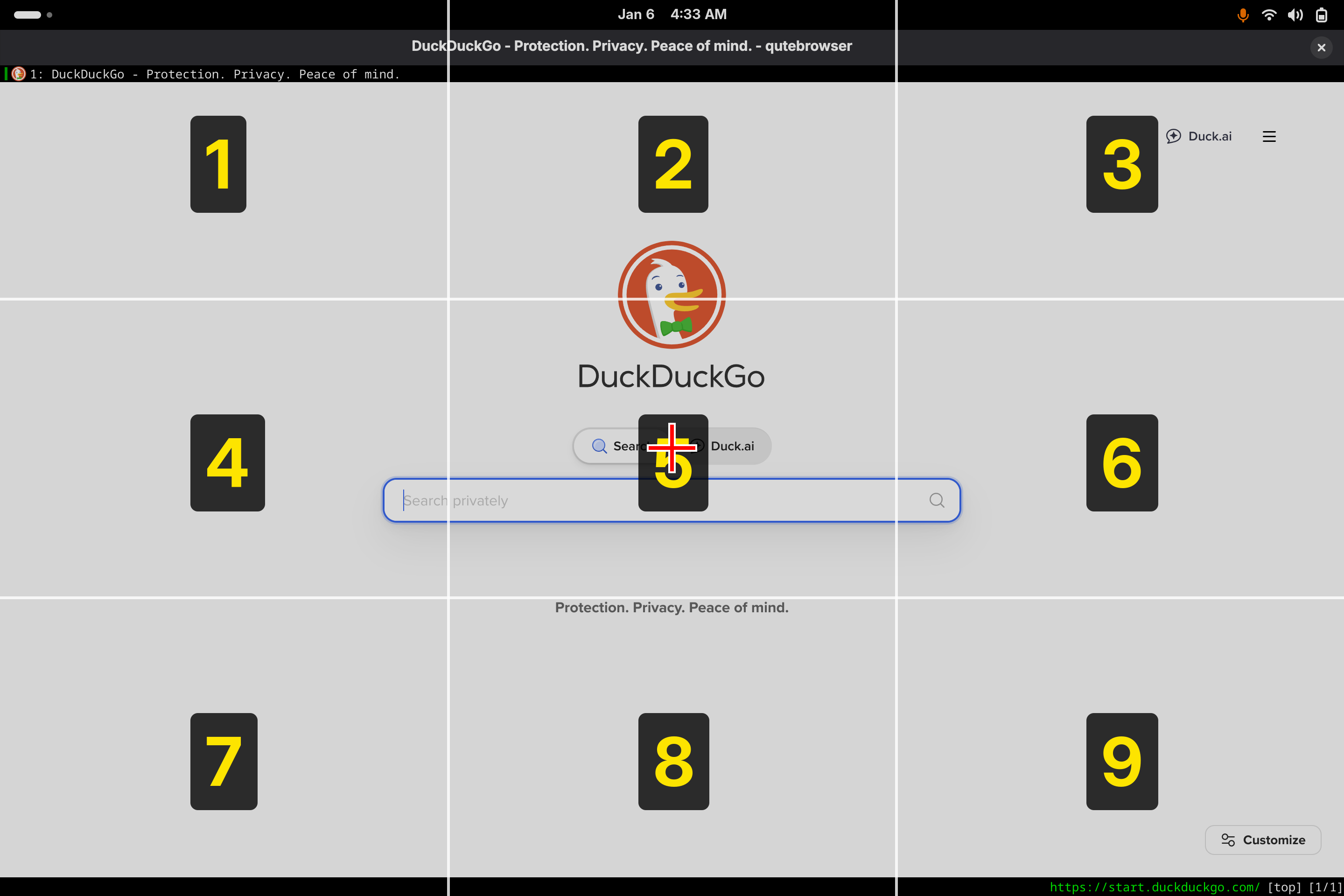
The same grid driving the cursor inside the browser. Because the overlay is compositor-level, the identical "say a number to zoom, then click" flow reaches anything on screen, web pages included.
Browser link hints
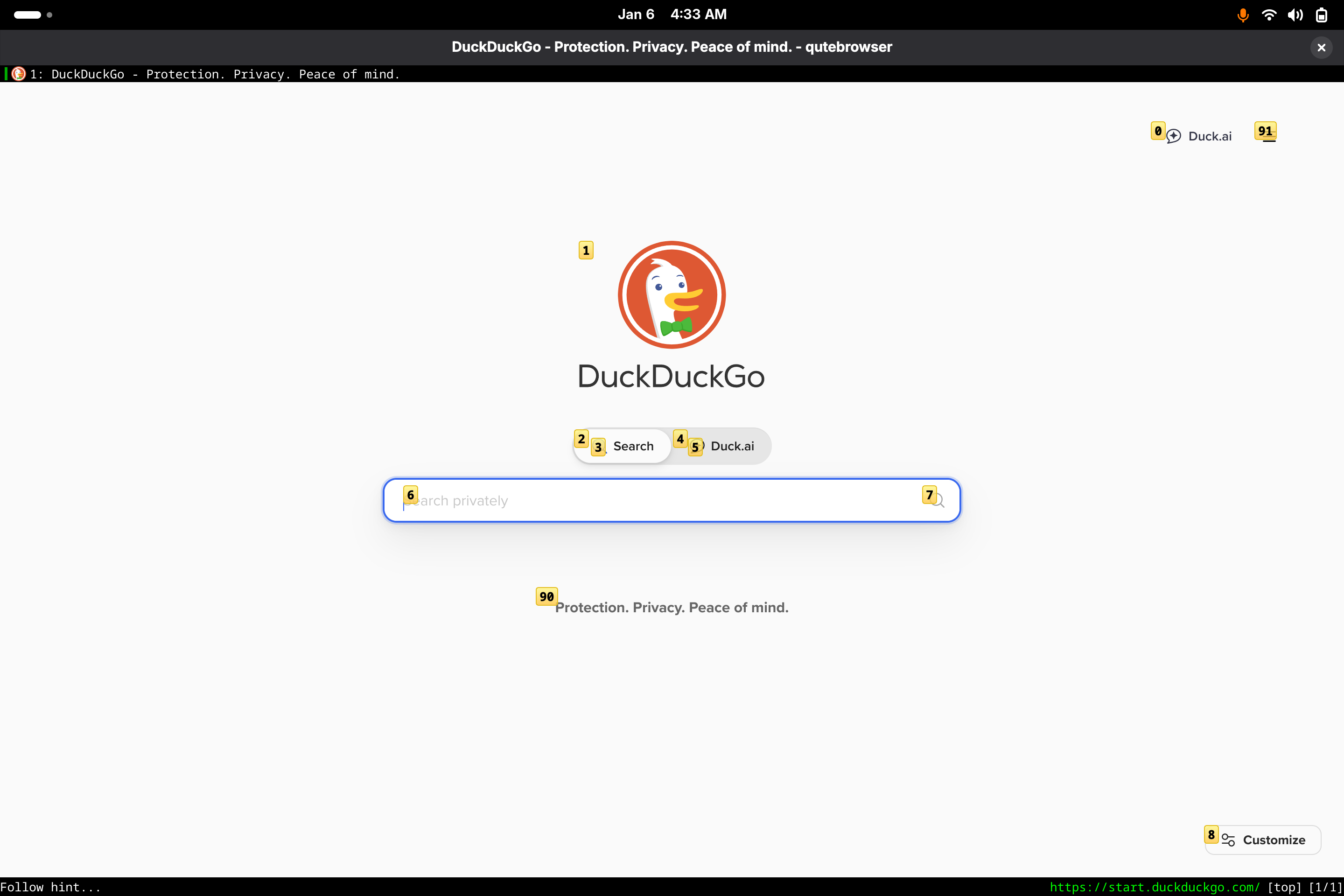
Browser control via qutebrowser's hint mode ("numbers" command). Every clickable element — the search box, the Search / Duck.ai toggles, the Customize button — is tagged with a short label. Speak a label to follow that link or focus that field, no mouse needed.